Adobe Services for Galveston Faculty, Staff, and Students.
- Adobe Creative Cloud (Departmental License Purchase Required)
- Adobe Acrobat Sign (Available to all employees at no cost)
- Adobe Acrobat Pro (Available all employees at no cost)
- Adobe Express (Available to all employees now at no cost and students at a future date)
To request access, you will need to submit a helpdesk ticket by emailing HelpDesk. In the ticket, please provide your name, title, department, and TAMU email address.
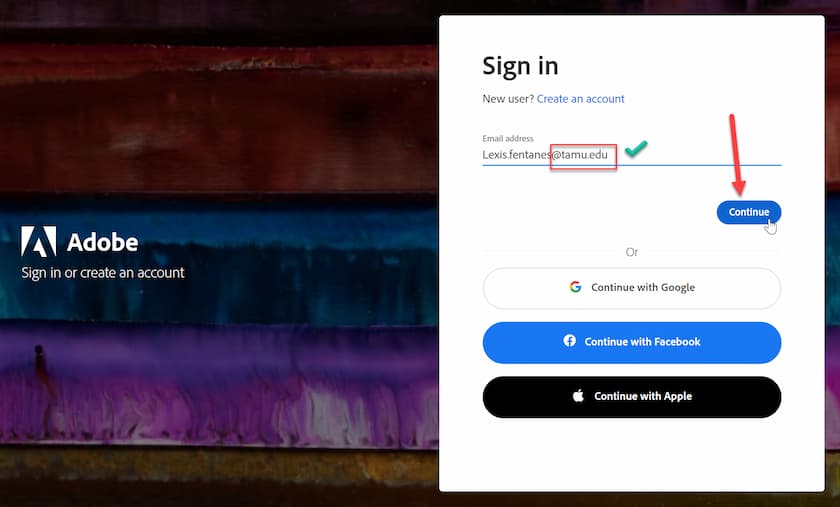
You will then sign in using your TAMU address at Adobe and click "Continue".
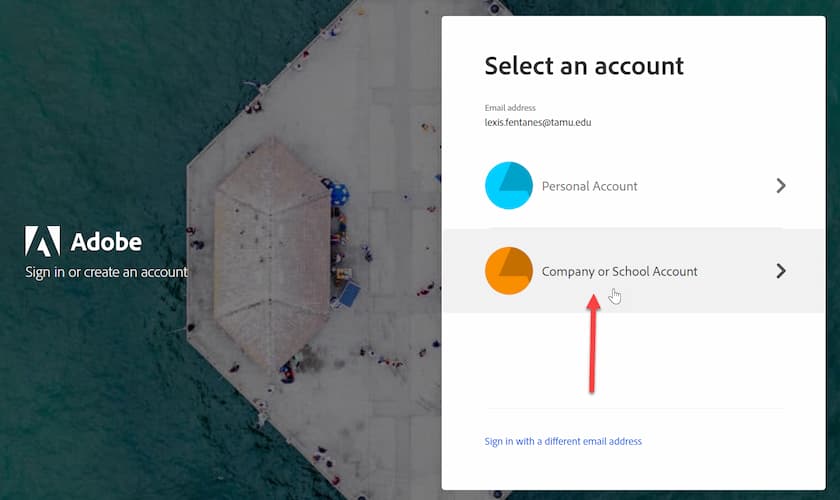
You will then need to click on "Company or School Account".
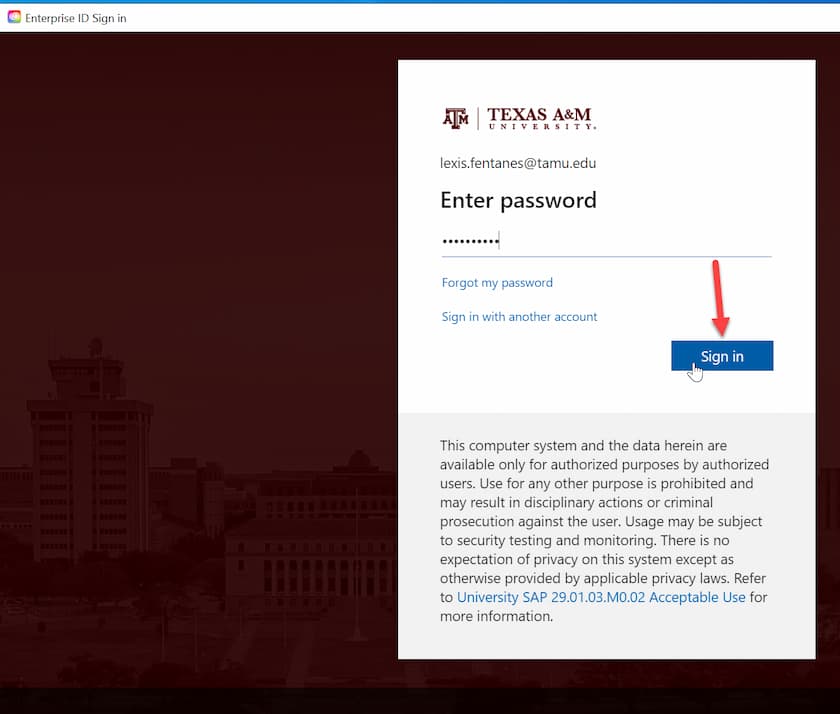
After that, you will be redirected to Texas A&M University login services where you will log in with your Howdy password and click "Sign In".
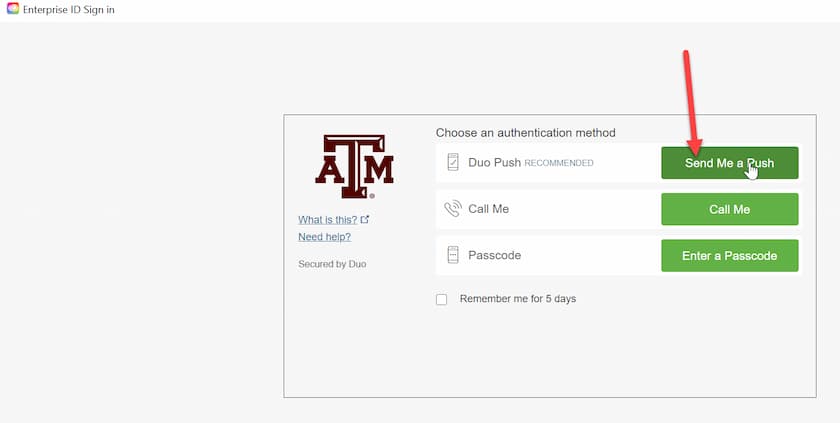
You will then need to select how you would like DUO to authenticate you. The quickest method is to select "Send Me a Push".
Finally, you will be logged in and able to install or use your Creative Cloud at Install .
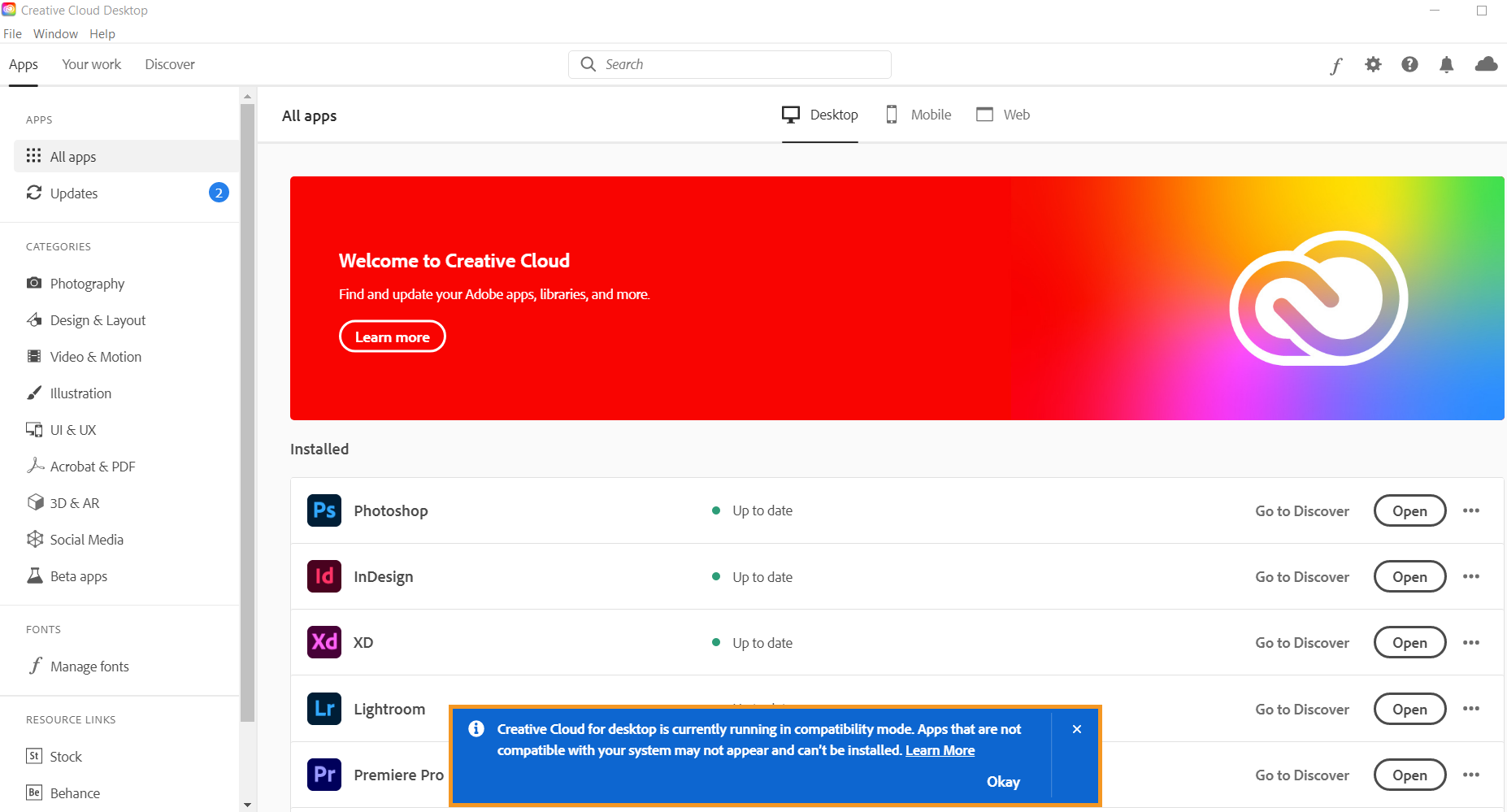
When you have Creative Cloud and your account has been approved by the Adobe Team you will have access to:
-
Acrobat DC Pro
-
Adobe Dimension
-
Adobe Lightroom
-
Adobe Lightroom Classic
-
Adobe Premiere Clip
-
Adobe Premiere Rush
-
Adobe XD
-
After Effects
-
Animate
-
Audition
-
Dreamweaver
-
Edge Animate
-
Edge Code
-
Edge Reflow
-
Fireworks CS6
-
Flash Builder
-
Illustrator
-
InCopy
-
InDesign
-
Muse
-
Photoshop
-
Prelude
-
Premiere Pro
-
Scout
-
SpeedGrade
For more information on how to download or install apps, see Download and Install Creative Cloud apps.
For Creative Cloud tutorials, see Creative Cloud Tutorials.
TAMUG Adobe Team
Please email the HelpDesk if you have questions.